

Software should do the work that repeats every week, follows the same steps every time, and mostly moves information from one place to another: copying orders into a spreadsheet, chasing the same follow-ups, building the same report, checking who has paid. People should keep the work that needs judgement. If someone spends part of every week copying, checking or reminding, software can usually do it for them.
Below: a five-question test for spotting those tasks, examples from systems we’ve built and still look after, how to work out what a task really costs you, and when automating is the wrong move.
Where the hours actually go
When Time etc, a company that sells virtual assistants, surveyed business owners in 2023, they said admin tasks took up more than a third (36%) of their working week. In a typical week, most of them were logging expenses (59%), and many were invoicing (44%) and doing data entry (43%). More than a quarter (27%) were chasing late payers.
It’s one survey, run by a company that sells help with admin, so treat the exact figure with care. But the shape will be familiar: not one big job, but the same small ones, every week.
A five-question test for any task
Take one task at a time and answer honestly:
- Does it happen every week, or more often?
- Are the steps the same each time?
- Is someone mostly copying information from one place to another? A WhatsApp message into a spreadsheet, a spreadsheet into an invoice, an invoice into a reminder.
- Does a mistake cost you money or a customer? A double booking, an invoice nobody chased, a best-seller that ran out.
- Is someone waiting on it before they can do their own job?
Three or more “yes” answers, and software will usually do it better than a person: faster, the same way every time, and without anyone having to remember. One or two, and a better habit or a shared spreadsheet may be enough.
Tasks we’ve taken off businesses’ hands
These come from systems we built and still look after. Each one is a job a person would otherwise do by hand, every day.
- Checking who’s allowed in. At EDGE Fitness by SJ, a gym in Matara, a fingerprint reader at the door checks each member’s membership by itself. Nobody at the front desk has to look up who has paid.
- Recording every sale. At K&D Foods & Catering in Kelaniya, every sale is recorded as it happens, and table bookings and event dates sit in one diary.
- Logging enquiries. At Weftlyn, a textile sourcing company, buyers send their fabric needs and reference files through an online form, and every enquiry is saved with its own reference number, so none gets lost in an inbox.
- Booking appointments. At Premium Fitness in Kelaniya, clients book personal training sessions from their phone, which means fewer calls and messages to fix a time.
- Taking rental requests. At DS Rent A Car in Ambalantota, locals and tourists request a vehicle online, with the deposit rules shown up front.
- Watching stock. EDGE’s system also tracks supplement stock, so the gym knows before something runs out.
None of these are clever. They’re boring, repetitive jobs that would otherwise eat an hour here and an hour there, every week.
One of our own
When you send a message through the form at the bottom of this page, our website emails it to us straight away and sends you a confirmation within seconds. Nobody copies it into a spreadsheet, and nobody has to remember to reply “got it”.
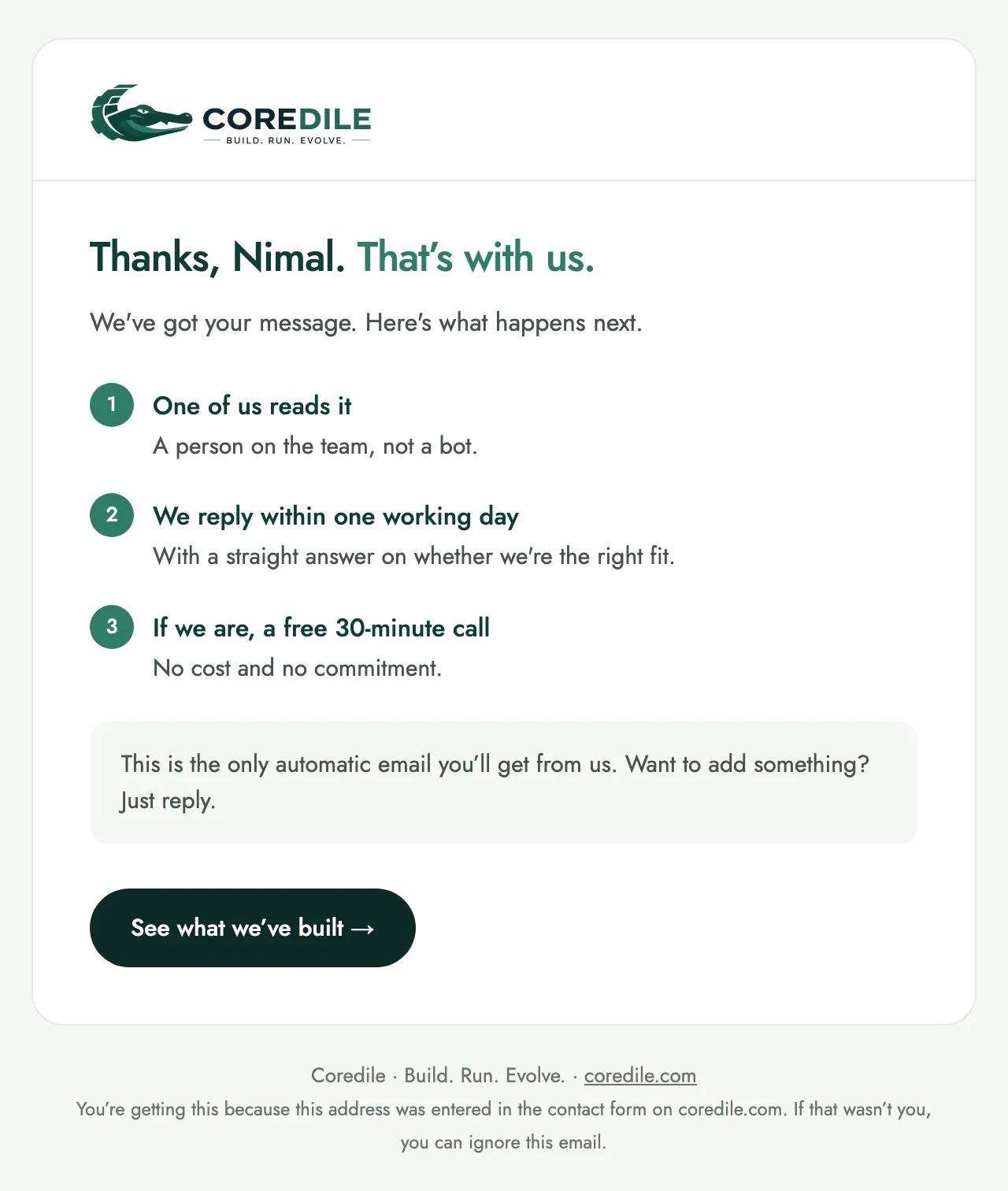
The confirmation our website sends by itself. The name is a sample.
How much is one task really costing you?
Most people guess, so count instead. For one week, note every time someone does the task and roughly how long it takes. Then:
Times a week × minutes each × 4.3 ÷ 60 = hours a month
For example, two people who each spend 20 minutes a day, five days a week, copying orders from WhatsApp into a spreadsheet. That’s 200 minutes a week, or about 14 hours a month: nearly two full working days, every month, spent typing.
A small table makes tasks easy to compare. These numbers are an example; use your own:
| Task | Times a week | Minutes each | Hours a month |
|---|---|---|---|
| Copying orders into a spreadsheet | 10 | 20 | 14 |
| Building the weekly sales report | 1 | 90 | 6.5 |
| Sending payment reminders | 15 | 5 | 5 |
The task at the top of your list is where to start.
If you’re a startup: wait until the task stops changing
Early on, the way you take orders or bring on customers changes every few weeks. Automating a process that’s still changing means paying to rebuild it every time it changes. Until a task repeats the same way week after week:
- run it in a spreadsheet and a shared inbox;
- write the steps down as you go, because that list becomes the brief later;
- when one task starts holding up growth, such as enquiries waiting days for a reply, automate that one first.
And buy before you build. If a good off-the-shelf tool already does the job, such as accounting, email newsletters or simple appointment booking, use it. Custom software earns its place when the work is specific to how your business runs, or when your tools don’t talk to each other and someone is copying between them. That’s the kind of work we describe on what we build.
If you’re established: manual work grows with you
In an established business, a manual task grows with every new customer. Twice the orders means twice the typing, and twice the chances of a mistake. Often the answer isn’t a brand-new system but connecting the tools you already pay for, so information is entered once and reaches everywhere it’s needed.
When software is the wrong answer
Automating isn’t always worth it. We’d advise against it when:
- The task is rare. A report you build once a year isn’t worth a system.
- It needs judgement every time. Pricing a custom job or calming an unhappy customer is work for people.
- The process itself is broken. Automating a messy process just makes the mess happen faster. Fix it on paper first.
- A tool you already pay for can do it. Check its settings before you build anything.
We’d rather tell you a spreadsheet is enough than build something you don’t need.
Where to start this week
- List every task someone in your business does more than once a week.
- Put each one through the five-question test.
- Time the top three for a week and work out the hours a month.
- Check whether a tool you already use can do the worst one.
- If none can, that’s the one worth building. Here’s how we turn a task like that into a fixed-price project.
If you’d like a second opinion on which task to start with, describe it in the form below. We reply within one working day with a straight answer, even if that answer is a spreadsheet.